This Blog has moved...please read this entry here.
Blockbuster has announced a streaming video player made by 2Wire. This article in Information Week says it competes with Apple TV and NetFlix, but, unfortunately, it completely leaves out the one participant in this space that TelBitConsulting.com uses and loves: VUDU.
No matter what, the future is clear: Watching movies via the Internet will happen and may happen, in a big way, faster than I had originally thought.
Gathering some information on the new 2Wire player it looks like it does support HD. Neither NetFlix nor AppleTV (as far as I understand...can support HD). It works via a built-in wireless or wired Internet connection.
2Wire MediaPoint Digital Media Player (8" x 8" x 1")
Quick Installation Guide
Power Adapter
Composite A/V cable (supports SD viewing)
Remote Control
AAA Batteries
Video and Audio Connections
Composite
Component*
HDMI*
Stereo Audio
Toslink (digital optical audio)*
Network Connections
Ethernet*
Wi-Fi (802.11 b/g)
*cable must be purchased separately
UPDATE: TelBitConsulting.com asked 2Wire a few questions (thank you to 2Wire for their prompt reply):
1. What size hard drives are available?
The built-in 8GB of flash memory can store approximately 5 SD or one HD and an assortment of SD movies at a time, depending on the length of the movies.
2. Can you connect an external hard drive to add capacity?
This is not currently an option.
3. Can a person purchase a movie? If so will it be stored on the person local hard drive? Is there a backup or archive capability to save the movies in case the hard drive dies?
At this time, you can not purchase movies through the MediaPoint digital media player.
4. Will Blockbuster make HD movies available? How many movies are currently on the list? How many are HD?
There are currently over 2,000 movies available through the ONDEMAND service, including a small but growing selection of HD movies. Blockbuster continues to add SD and HD movies to the ONDEMAND library.
5. Does your unit support 1080p?
Not at this time. The 2Wire MediaPoint digital media player currently supports the following: High Definition - 1080i, High Definition - 720p, Standard Definition - 480p, and Standard Definition - 480i.
6. Does your unit support 5.1 or 7.1 audio?
The 2Wire MediaPoint digital media player delivers stereo sound and supports 5.1.
7. If I want to watch an SD movie, how long do I have to wait before it starts? HD?
This depends on factors that include the speed of your Internet connection and the length of the movie. For example, with a 3 mbps connection, you could begin watching a standard-length SD movie within 30 seconds to one minute after beginning download.
8. What is the size of your unit?
The dimensions of MediaPoint are 8 in. x 8 in. x 1 in - about the size of a box of movie candy.
9. Do you support HDMI out put to the TV?
A composite A/V cable is provided with purchase. The player does support HDMI output, but the cable must be purchased separately. The HDMI Digital A/V output jack provides digital audio and video signals to a compatible HDTV or HD monitor.
10. Are any currently in use? Can you tell me how many? (If not, that is ok)
We are very pleased with the sales figures since the launch, but cannot divulge specific numbers.
11. How is the streaming handled? From a central location only? Peer-to-Peer? Other?
Unlike media players that stream movies over the Internet, the 2Wire MediaPoint uses progressive download to let movie fans access high-quality videos, and begin watching them during download. The video and audio quality is consistent, and does not depend on your Internet connection speed.
TelBitConsulting.com says: If a streaming player does not support HD....forget it. To introduce a product in 2008 that does not support HD is wrong. It looks like 2Wire got it right. I know VUDU has it right....
Summary
The new Blockbuster player from 2Wire is significantly different than the VUDU player. It is interesting to see how different design directions can be taken to solve a problem. Engineering at it's best.
For example, the 2 Wire player was designed, it appears, to watch a movie then that movie is gone. There is some storage capacity but the smallish 8 Gig flash drive will not allow the massive storage the the 1 TB hard drive that VUDU can come with. You cannot "purchase" movies with Blockbuster, but, that is not surprising since Blockbuster is a rental organization.
It will be interesting to see how this plays out over the next few years....either way, TelBitConsulting.com thinks this is the way people will be watching movies....as long as the Internet connections stay open...
If you have not yet experienced VUDU Internet streaming of movies.....now may be the time.
As you may know, I am a big fan of VUDU and now even more so. Check out my review of VUDU here.
With over 6000 movie titles in Standard Definition and High Definition....VUDU has recently introduced a new high definition technology they call "HDX".
Since I have an older HDTV (how did time go so fast?) with less resolution, I figured HDX would not give me much improvement over their HD offering or even SD which I consider better than my upconverted DVD player.
I was wrong. HDX is simply astounding.
Since I cannot take a picture (or a movie) that would do it justice (but I gave it a try...see below), the best comparision I can make is this: Go to your nearest Best Buy and watch a full 1080p Blu-Ray movie being played. HDX is just like that! Even on my less than full resolution HDTV, the picture quality is a major step up from HD and worlds better than SD. And our Bose sound system captures the robust audio from HDX like nothing we have yet experienced.
I can't wait to earn enough $ (remember...starving blogger) to get a full 1080p TV.....hmmmm, anyone need a decent videoconferencing guy?
A look at the VUDU "Most Watched" list shows that people with VUDU agree. The HDX movies are at the top of the most watched list.
The only downfall is that we have to wait about 8 hours for the HDX movie to download. With SD we can watch it instantly, and with HD we have to wait a couple of hours. So some pre-planning on our part is needed. I could always upgrade my Internet service, but, oh rats, starving blogger.....
I know I sound like a VUDU commercial....but....
Our lives with VUDU have changed. We have not gone to Blockbuster in months. We have not purchased a DVD in months. Where we once planned on buying a Blu-Ray player and start a collection of Blu-Ray movies...that plan is on hold. We are perfectly happy with VUDU spending about $5.99 for a movie rental and about $20 for a purchase. What could be better?
Tel Bit Consulting says: Internet video can (will!) change the way the world watches movies. I only hope that the Internet remains open and unrestricted.
I went to the nbc.com web site and signed up (all you need is your Zip code and browser...yes, Firefox works). Remember I have a Toshiba Laptop running Windows XP. Nothing fancy, nothing out of the ordinary.
NBC is streaming live video using Microsoft Silverlight.
Yikes! I never heard of Silverlight but here is a blurb at the front of their web site:
Light Up the Web Microsoft® Silverlight™ is a cross-browser, cross-platform, and cross-device plug-in for delivering the next generation of media experiences and rich interactive applications for the Web.
Hmmmm, ok....great marketing, but.....does it work?
Yup...and YeOldeTechy says: This is super cool.
Cross browser....great thinking Microsoft! About time...errr, did I say that?
Anyway.....here is what you have to do:
1. Go to www.nbc.com 2. On the right (top corner) there is a sign up for streaming video...enter your Zip code. 3. Follow the procedures to download and use the Microsoft Silverlight. 4. Wade thru the menus and options to find what you want to watch.
I watched some LIVE (well maybe not really live, but.....) tennis and now have Yacht Racing (if you consider a one person surfboard thingy a Yacht) on.....WOW.
The control panel (below) lets you watch one of 4 live events. Apparently, as I watch this, there is only one event live. I will check later to see if the 4 events pop up. (NOTE: there are smaller windows on the left set of windows labeled 2, 3, and 4 that you can click...those fill in the empty slots so you can switch between them easily.....this is great).
Also, you get the video without commentary (a good thing sometimes) or you can select commentary. I tried it and have yet to hear commentary...I'll keep trying.
Go U.S.A.
Gotta love the Internet.....streaming video ROCKS.
If you like this, check out VUDU....THAT is streaming video at it's BEST.
It is actually very easy to embed a video on a blog. On YouTube, there is an easy way to grab a bit of code called: embed. Hmmmm, words that say what they mean.
In a Blog, such as this one, you have to go into the "Edit HTML" mode and paste the embed code there.
Easy as 1, 2, 3....copy the embed code, enter HTML Mode, paste the code.
I have used several sources for embedded video's on this Blog. The one from ABC News came without an end embed, so I had to add it, and it worked great. YouTube always works great, and here is a new, very up-to-date, timely (and censored) video from Funny or Die web site.
Very cool, errrr, hot (in Paris's words, not mine).
I was poking around the Internet looking for 3G cell phone video conferencing applications (I did NOT find one, by the way) when I ran across the AT&T Video Share app.
This is interesting even though it is only one way video (it has two way audio).
With the right phone and the right service, 3G (see lists here) you can send live video to anyone (hmmmm, do they need the same phone or one on the list to view the video?).
For example, GrandMa wants to see the new baby, or you want to visit a relative in a nursing home, or at the University of Kansas, or anywhere that has 3G access. Imagine ambulance EMT's getting instant advice from a Doctor or a plumber getting help from his/her boss. The applications are endless.
There is a nice demo of a TV show (Tyra Banks) using Video Share here.
YeOldeTechy says: As 3G rolls out to more locations (in the U.S.) the ability to send and receive video, or to video-conference with colleagues while on the road, will become commonplace. There will no longer be a need to stay attached to a conference room or to a WiFi hotspot....the world is indeed changing.
FYI...I saw a demo of cell phone video conferencing maybe 10 years ago at the TeleCon conference. It was revolutionary, but very limited. Now it has the network to support it. Great ideas like that help push technology forward....
Check out this application of one way video sharing:
Reading my past blogs on this subject, you know I believe that streaming movies via the Internet will take it's toll on such old favorites as DVD's, Blu-Ray, and Blockbuster / Netflix.
Now buried deep in the middle of this article is an announcement by Sony that it will start an Internet streaming service for movies direct to their Bravia TV's (which to me says that the TV will have this capability built in....I may be wrong). The first movie for this service will be "Hancock" (see trailer below).
Wow! This is a blockbuster.
The innovators in this area VUDU, Apple TV, and, more recently, Netflix all with separate players that connect to a TV might be shaking right now...
And to add to this, Sony is promising most of their devices will connect wireless to the Internet...the prospect of wireless Internet connectivity to your TV is mind boggling.
Pretty soon, every home will have videoconferencing in their TV. Then keeping in touch with family will be a breeze....
In the not to distant future, using a standard called DOSCIS 3.0 (which defines and supports very high speed data transmission over cable systems), Comcast expects to be able to offer most cable subscribers 100 Mbps download.
YeOldeTechy questions:
1. With the news I hear about Comcast throttling data users now....will they allow the full 100 Mbps in the future, or is this just marketing?
2. If the full 100 Mbps is allowed, how will DSL respond? Can DSL respond?
3. What will be the upstream bit rates? Videoconferencing users are interested, especially those who are getting into high-definition videoconferencing which requires more than 1 Mbps upstream. For example, the uses in Telemedicine from the home, in HD, are limitless.
Moving on...
Since I use VUDU to view movies now it would be wonderful to download High Definition movies in real-time. Right now, with my DSL maxed at 2 Mbps download, I have to wait a few hours for an HD movie to download.
Not that that is a problem....I love my VUDU. But to watch HD in real-time, that is nirvana.
Yesterday, Sony and many cable companies including: Comcast Corp., Time Warner Cable Inc., Cox Communications Inc., Charter Communications Inc., Cablevision Systems Corp. and Bright House Networks agreed to develop a cable card with the same capability and functionality as a set-top box. See this AP news article.
--End News Flash--
I have a cable card in my Sony HDTV. The best thing about it......it is free (perfect for a starving blogger and substitute teacher). I can receive all the channels including the HD channels. It works great...95% of the time. But, once a month or so, especially lately, I have to call Comcast to "reset" my card since many channels are no longer viewable ("Daaaad...CMT Pure is gone again"). Luckily they can reset the card remotely and in a few seconds, and for the next month, my card works perfectly.
I cannot participate in pay-for-view or other interactive services. I do not care. I have VUDU...who needs anything more?
The new CableCARD will be based on CableLABs "tru2way" java-based technology.
What does this mean to you?
No extra box. If you TV have a cable card slot (be sure you check when you buy a new TV), you just put the card in the slot (fork over $40 or so to the tech who does it) and you are good to go. No extra remote. A good thing in this day of proliferating remotes. Less items to dust.
Some questions remain.
Will my free cable card be replaced by a rental? If that happens...I will not like it. Will my cable card be rendered obsolete? When will this new card become available? Will my old Sony HDTV accept the new cable card? (Note: CableLABS on their cable card web page, see below, says it will be backward compatible...we will see.)
Summary
Over time, all the questions will be answered...in the meantime, I will sit tight and enjoy my HDTV with my current cable card and be prepared to call Comcast once a month.
Interesting Reading
Time Warner has a nice summary of their cable card offering here.
WikiPedia has a nice article here (and the pic I grabbed for this blog).
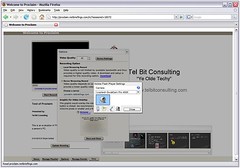
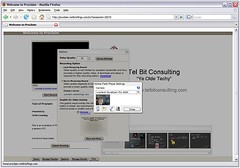
I received an email from Netbriefings announcing that Proclaim (which I think is terrific) now allows a blogger using WordPress technology (this blog is not, as far as I know) to very easily record a Proclaim video/audio and presentation stream, save it, and post it on a blog. Jeanneane Kloss from Netbriefings set me up with a demo account and walked me thru a recording session (see the above snapshot). Within two minutes we had a Proclaim recording on a blog!! Easy as 3.14.
This is very cool and very powerful. Extremely easy to accomplish.
As you know, I like to embed video's from YouTube to help explain concepts that are easier to see than read. I also embed photos from Adobe PhotoShop Express. I would dearly love to embed a Proclaim presentation on this blog. I can't do that yet, but, I'm sure that will happen.
Netbriefings has done a great job integrating streaming and blog technologies while keeping Proclaim intuitive and easy-to-use.
In all my years in a fledgling industry (videoconferencing) I have seen (and experienced first hand) my fair share of innovative companies that have, for one reason or another, flamed out.
The general trend is as follows: Great idea-->Lots of seed money-->Marketing Hype-->Success-->Failure to keep up with changing technology-->Market share loss-->Out of business. I can name some of the companies...but I won't.....the list is very long.
My point is: A company cannot rely on it's bread and butter forever, it must change to continue to thrive (hmmmm, this is why I am a starving blogger and not writing paper "white papers" for gobs of money, what a fool....oh well).
Netflix found their niche. You order a movie, they mail a DVD to your house, you watch it, and send it back. Simple and efficient. But, the end of that model of video delivery is close at hand (and also the need to drive to a store to pick up a DVD).
In the not too distant future, video will be delivered by the Internet (or via cable) using streaming video technology. No doubt that this will happen, it will just be a matter of time.
Yesterday, Netflix announced the availability of a streaming box. This box will cost about $100, will connect to the Internet and your television, and will be able to download movies from a vast collection of Netflix movies, via the Internet, which you can watch on your TV.
Netflix has seen the future, they have admitted they they need to embrace it, and is doing the right thing to stay ahead! Bravo.
The Netflix box is not the first on the market. It is similar to VUDU (which I have reviewed and used extensively, and love), and Apple TV (which, I believe, was first). This technology is still in it's infancy....over time the players will shake out and new brash start-ups will arrive. To survive....innovation must survive in these companies, and I have no doubt that the companies now involved will continue to innovate.
YeOldeTechy says: Pretty soon (a few years at most) DVD's will become a thing of the past, the life of Blu-Ray will not be as long as the standard DVD technology was, going to a store to rent a movie, or getting a movie in the mail, will ALL be put into a time capsule as examples of the way things used to be. Move over 8 track tapes and H.320 videoconferencing here comes DVD.
In a previous blog entry I took a look at Proclaim which I consider one of the best streaming applications around.
Today I received an email with this link. Take a peek, it is very interesting. Short corporate messages are becoming more and more important (and you can save $$ on travel, save the environment...DUH).
I really need to use Proclaim a bit more than I do....gee, I wonder if I can keep a free account forever? Remember: starving blogger and substitute teacher.....
I need to find out if they can embed video on this Blog instead of going thru YouTube? That would help me a great deal.
This Blog has moved....please visit this entryhere.
Before you read, you can watch my future Oscar winning documentary on “Using VUDU”.You will not be bored, but, in case you are interested to see what movie I used as an educational demo you can fast forward to minute 1:25.Or, alternatively, you can read my book review here.
Goodbye, Blockbuster and Netflix.It’s been nice knowing you, DVD.Watch your back, Blu-Ray.There is a new kid in town, and that new kid is about to change the world.That new kid is VUDU.
“Dad, do we have to give the VUDU back?, I love it”.This is from my 16 year old daughter, Kristen.I love it as well which shows you that VUDU spans the generations from Kristen’s “Me” to my “Baby Boomer”.
As soon as this poor, retired, starving blogger gathers enough money to buy a VUDU, I will.
YeOldeTechy says:VUDU is the future. Downloading movies via the Internet will change the DVD and Blu-Ray industry as much as downloading music is changing delivery of music by CD.VUDU is extremely easy to use, feature rich, and the video and audio quality is superb.
Quick Look at Some Features
Spending almost two weeks with VUDU we have a great appreciation of several of VUDU’s features.
The search capability is very powerful allowing you to find a movie in one of several different ways.You can search by actor or director, by title, by genre, or you can use the icons at the main menu to search for “HD Titles”, “War Movies”, “Best Picture”, etc. See the picture below where I am ready to search for “Best Picture Winners from 1927 -2007”.Wickedly cool.As I finish up this Blog entry there are 5075 movies in the VUDU database.
Embedded in the search capability are interesting facts on the actors or directors and a quick synopsis of the movie with a rating.See the picture below.You can select an actor or the director and VUDU shows you what movies VUDU has in its database with that actor or director.For example, I can click on Nicolas Cage and see that VUDU has “National Treasure” and several other of his movies.By the way, “Next” is way better than 2 stars. Nicolas Cage rocks.
The remote is extremely easy to use.Of course I needed directions from Kristen, but, once I got the hang of moving the dial and also pressing the dial to select the chosen option, you can use the dial and 4 buttons to do anything you need.Since the remote is RF (radio frequency) you do not need to point it at the unit.You would not believe how hard that is to get used to.
Almost every movie has a “Preview”.We enjoyed watching many previews and found a few movies we would like to rent by watching the preview.
After finding a movie you can place that movie in your “Wish List”.Once there, you can easily find it again and select it to watch.See picture below.
The ease of starting a movie.No need to drive to a store, no need to get off the couch find a DVD from your own collection open the DVD player, etc.Simply find the movie and play it.See the Oscar winning documentary at the start of this Blog for a demo.
The video and audio quality are outstanding.In fact, the quality of a standard definition movie surpasses the quality we get with our progressive upload DVD player.The high definition movies are simply tremendous (see picture below).We watched several movies, both high definition and standard, and never once saw an Internet based glitch or slow down (I have DSL).
VUDU has mastered the art of video-on-demand with their “peer-to-peer” technology.
Need for Improvement
Although VUDU is nearly a perfect product, there is still some room for improvement…..but not much.
I would like to see a built in 802.11G wireless network capability.I would much rather pay for that capability built in at the factory than to purchase an external device for that purpose.To be clear, VUDU allows an external connection to a wireless Ethernet device.But, for this evaluation, I simply made a Cat 5 cable long enuf to connect my hub in the study to the VUDU in the Family Room.
I see VUDU is recommending a “power line” networking device from Linksys.Ah!! Another evaluation for my Blog!But seriously, this is a very cool way to move data around the house.Story:Many years ago, YeOldeTechy designed such a device for his modem (remember modems?), it worked really well, but every time the refrigerator fired up I got a ton of packet losses. Great design, huh?
Concerns
Fundamentally, the VUDU needs to be on all the time since it is part of the peer-to-peer delivery network.However, these days (and into the future) energy costs are increasing at a very rapid rate.Having yet one more electronic device on 24x7 is concerning.VUDU may be a power hog or it may be a power miser, I do not know.All I can request is that future units be designed with power consumption in mind.On the other hand, you do not need to get in your car to visit the rental store, so maybe the green equation tips in favor of VUDU.I suspect it may.
I had a concern about backup.When you purchase a movie now, you have a hard copy of it.I asked that question of VUDU and they will have (starting this week with version 1.3) an archiving capability where you can backup your purchased content to a “VUDU vault” (an email from VUDU tells me this in in Beta as of 3/4/08).If you happen to lose the hard drive, you can then download your vault contents for no cost. Very cool.
This is not VUDU’s fault, but, I like to watch the “special features” that come with a disc.In an email response to my question, VUDU replied with the following: “So far, the studios have not made special features available for digital distribution.It is VUDU’s hope that they will be able to deliver them in the future.”
Cost Comparisons
As far as I can tell, VUDU is not a clear cost saving alternative.All things considered, depending on what you have, or need to purchase, it is pretty much a wash.Let’s look at my particular situation.
My goal is to watch high definition movies. I already have a progressive upload DVD player and a high definition TV.To watch high definition, I would need to replace my “old” DVD player with a Blu-Ray player then rent, or purchase, Blu-Ray movies.
The Blu-Ray player costs about $400 at Best Buy (but I can also spend up to $1000).I could then rent Blu-Ray movies at Blockbuster for $4.99 plus tax or I could purchase Blu-Ray high definition movies at Best Buy for around $29.99.
The VUDU player costs $295.00 with free shipping but I would need to spend the money saved on a permanent Ethernet connection (either wired or wireless) near my TV.The VUDU high definition movies rent for about $5.99 or I can purchase a high definition movie for $24.99.VUDU rentals start about 30 days after they are available for purchase.
The typical rental cost of a VUDU movie is between $2.99 and $3.99 for a standard definition movie (with some really old Westerns going for 50 cents or for free).At Blockbuster we can rent a standard definition movie for $3.99 plus tax.
Depending on the rented movie, you have 24 to 48 hours to watch it. We did a test with "The Waitress" and started to watch it for the second time 5 minutes before it's expiration. Sure enough, when that 5 minutes expired the movie stopped playing and we saw this on the screen: "The viewing period for this movie has expired". Darn, those VUDU designers are way too smart.
VUDU sets up an account for a certain value (from your credit card) of your choice. As you watch the movies the rental fee comes out of your account. When the account reaches $5.00, VUDU automatically ups the account to the specified $$.
Future Directions
According to VUDU there will be the ability to connect an external hard drive, via it’s currently unused USB port, to expand the local VUDU capacity (it now has a 250 gig hard drive). VUDU will automatically format that drive.With 1 Terabyte drives now on the market, your movie storage capability will be greatly enhanced with this future capability.
In fact, in the Winter of 2008, VUDU XL will arrive with it's own internal 1 Terabyte drive. The thought of 2 Terabytes (one internal and one external) just for videos, to me, is mind boggling! I received an email and the VUDU XL with 1TB disk is available now...March 4, 2008 ! Great news.
Summary
I cannot say enough good things about VUDU.This is simply the most outstanding new product I have evaluated since ooVoo.It is good to know that innovation is alive and well and living on Tasman Drive in San Jose.I wish VUDU the best of luck, and who knows, a Tasman neighbor may be interested in you!
I already miss my VUDU…boo hoo.
+++++
Technical Evaluation
The following section is included for the more adventurous, or self hating, individual who likes to get into the nitty-gritty (Dirt Band?) technical stuff.J
Set Up
Refer to the picture of the VUDU back for much of the following discussion.
Real Time: Hmmm, the first thing I need is Ethernet to my TV.Since my house is fairly old, I do not have wiring there and I cannot purchase a wireless Ethernet adapter to connect to my wireless router (poor and starving blogger, remember).Sooooo, I will need to find a long piece of cat 5 cable and drag a line through the house.Arrghhh.
Result: I went to Radio Shack and purchased a 100 foot long roll of Cat 5 wire.I had everything else I needed to make a long cable connecting my Ethernet switch in the Study to the VUDU in the family room.Once I did that, I cracked the VUDU box and started the install process.
In the box is almost everything you need to connect the VUDU to the network and to your TV.It has an Ethernet cable which was too short for my evaluation, an HDMI cable, RCA cables and a small RF antenna.It has a sleekly designed remote control and batteries.The hardest part of the installation (other than making the cable and running the line) was installing the batteries in the remote.The cover is darn hard to get off and back on.The RF antenna screws on the back of the VUDU unit, very simple, and then I needed to connect the “coax” output for audio to our Bose sound system.
Before I get too far ahead, I had to do some pre-installation thinking about how to connect the VUDU into my existing home theater (if you can call my kludged mishmash of components a “theater”).After making some drawings, the solution was obvious.All I needed to do was replace my DVD player with the VUDU.After all, that is the point of the VUDU, right? All my videos for the evaluation period were now on the VUDU or in cyberspace.See my drawings below.
The picture at the start of this section shows the back of the VUDU.It has component video, S-Video , analog and digital “coax” audio outputs.It has an HDMI connector , an Ethernet 10/100 Mbps port, a USB port (not used in this version, but, will be used in the near future), an I/O port, a switch for 480i and 480p if you are not using the HDMI connection, and power. You can see the RF antenna on the left and the remote sitting on top.The remote is an RF unit and it took a bit time to get out of the habit of pointing the remote at the unit.
The VUDU found an IP address automatically when it was turned on. Unfortunately, it grabbed my printers IP address and I could not get the printer to work after that. Luckily, the VUDU device has a way to manually enter an IP address (and gateway and DNS). I did that and experienced zero network issues ofter that.
Speed Test
I connected my laptop to the end of my new, homemade, super fast Oscar winning, Cat 5 Ethernet cable (where the VUDU would connect) and did a DSL speed evaluation for VUDU from their web site .It is good to do this before purchasing a VUDU to ensure you have a sufficient high speed connection.They recommend at least 2 Mbps downstream, which means you need DSL, Cable modem, or better.Dial up will not work.
Video Quality
Outstanding. It uses MPEG-4 and has resolutions of 1080p/24 (24 frames per second), 1080i, 720p, 480p, and 480i. I talked about these resolutions in a previous blog entry on HDTV here. The high definition movies are received using Dolby 5.1 surround sound.
The family agrees that the standard definition video is better than DVD’s played back using our Sony DVD player with progressive upload.The picture is significantly clearer.I see no movement effects and have not yet had any problems watching a movie all the way thru without interruption.In other words, the downloading of the movie outpaced watching it.
VUDU offers a free HD version of “The Bourne Identity” but I suspect that the movie is already on the hard drive (I now know it is).As you can see from the picture the quality is terrific.
How VUDU Delivers the Video
According to VUDU, they have developed a “hybrid peer-to-peer” delivery network where every VUDU box on the Internet can hold portions of videos available for playback.As you play a movie, you are actually getting the movie from other VUDU boxes.Extremely cool.This concept is essentially the same as I reported in this Blog awhile back for Meraki Internet access.I can only imagine the complexity of the VUDU software.But, even with that, the performance in the two weeks I had the VUDU was absolutely flawless.
VUDU tells me that less than 10% of your disk space is used to hold video’s being watched by others and that VUDU is careful not to overdrive your network if you are using the network for another purpose (like watching a movie or intense computing).
The picture below shows what VUDU thinks of my Internet connection.I did have to wait for the high definition movie to download.Not a problem at all, I just continued with my day while the movie was getting ready.
Limitations and Requests
I would like to be able to see the hard disk space remaining and some usage stats (BW being used, packet loss, etc) while being used.In the videoconferencing world we can see this kind of information and it is very helpful when questions arise if there are problems.
The RF antenna may be a bit high if you have a location that is tighter.You can turn it sideways if you have to.I did that and it worked fine.
I also set the sensitivity to the remote to “Low” and a lot of the false hits I was getting using the remote went away.
Email Questions and Response from VUDU
Answers to your questions are below. Have a good weekend.
1. Is there a way to see how much VUDU disk space has been used?
The current box has room for unlimited rentals and approximately 50 owned movies. The next software release (1.3, due next week) will allow for deletion of previously purchased titles to free space on the drive and, where permitted, archiving of owned titles (currently available for select movies and all TV shows). Archiving transfers owned titles from the box’s hard drive to the “VUDU Vault” where they are stored and may be downloaded again for no additional cost. Further, VUDU is planning to upgrade the box’s software to support off-the-shelf external hard drives and will eventually format the drive and make it an extension of the VUDU box.
2. Do you “pre-position” the content closer to the customer? Or is the video sent from a central location? If central, are your servers in San Jose? How many simultaneous customers can you handle?
Vudu utilizes a hybrid peer to peer system so that every VUDU box—yours, mine, your neighbor’s, etc., contains some pieces of movies that are streamed to other boxes when users want to watch those movies. From VUDU's side, this means that when they know a big blockbuster movie is coming online, they can pre-position content around the network so there isn't buffering or too much pull on one specific copy. From the VUDU owner's point of view, it means you can get access to movies whenever you want - less than 10% of your drive holds these pieces of movies that are streamed to other boxes, so it doesn't adversely affect your watching behavior. And VUDU is careful not to use your box if you have a heavy network load - e.g. you are watching a movie yourself or doing some super computing in your study.
3. Will the USB port be used for an external hard drive? Will it be plug and play? Will any hard drive manufacturer work?
The VUDU box was designed to be flexible, able to adapt to the changes and improvements we plan to make to the product and service in the future. VUDU intends to introduce software to support off-the-shelf external hard drives for additional storage and will eventually format the drive to make it an extension of the VUDU box.
4. Will you include, do you include, backup software?
Back-up software is not included. VUDU has the ability to reset the box to its factory settings if needed. Software updates are performed automatically through the service.
5. If someone loses their content, do you have a record of that, and the ability to refresh a lost disc?
VUDU has a record of all rentals and purchases made on every box. VUDU’s one-year warranty dictates that should the hard drive fail and content is lost, VUDU will replace that content or offer credits should some titles no longer be available.
6. Do you have 24x7 support via telephone? Via email? Via web pages?
VUDU’s Customer Care is available at 1-888-554-VUDU (8838). Hours are Mon-Fri 9 to 7 and Sat-Sun 11-7. They may also be contacted via email at support@vudu.com.
7. Why are some movies “buy only”? Will they be able to be rented in the future?
Whether a title is available for rental and/or purchase is determined by the studios. Generally, new releases are available to own the same day that they’re available on DVD. They become available for rental roughly thirty days later.
8. Do you have the ability to view statistics? Packet loss? BW used? Other stats?.....while the machine is operating?
Users can test their bandwidth and gauge VUDU’s usage of their bandwidth within the Service Quality Screen in Info & Settings. They cannot view statistics or packet loss.
9. Will you include “special features” in the future? For example, with a DVD we like to watch the special features….bloopers, how they made the movie, etc.
So far, the studios have not made special features available for digital distribution. It is VUDU’s hope that they will be able to deliver them in the future.
10.Are the movie “previews” loaded on the disk or are they downloaded via the Internet in real time as you watch them, like the movies?
Previews are pre-loaded onto the hard drive so they are instantly available. Similarly, the first 20 seconds of every available title is cached to enable instant playback.
In case you doubted that Blu-Ray has won the DVD war, yesterday and today two more blows were dealt to HD-DVD which could hasten it's demise and bolster Blu-Ray.
And now...the FINAL announcement marking the end of the battle. Blu-ray is now the official winner, but, watch out......downloading high def programming from the Internet will threaten Blu-Ray sooner than you think.
I am still waiting for version 2.0 of Blu-Ray, but, please do not buy HD-DVD as you may be wasting your money!
Lately, I have been watching the evolution of Internet streaming to the TV (as part of the evolving "Digital Living Room"). I have looked briefly at VUDU and also Apple TV. As of this writing, both allow direct Internet access to streamed video content (i.e. no computer is needed) and display that video (in either standard or high definition) on your TV.
Yesterday, I was talking with my daughter about watching an episode of "The Office" from Season 4, when an idea hit me like a lightning bolt. "Why can't I stream the Internet-based video on my TV (Sony HDTV) using my wireless enabled laptop computer (Toshiba)".
I can!
Here are all the pieces....
1. I have a wireless Linksys router. 2. My Toshiba laptop has wireless capability. 3. My Sony TV Port 2 is in the front of the TV, and it allows input from RCA video and audio and S-video. 4. My Toshiba laptop has an S-video output and a headphone jack for stereo audio. 5. I have purchased a headphone jack to RCA converter at Radio Shack in Tracy.
Here is what I did....it is sooooooo simple, I can't believe I have not tried this before. I guess, sometimes the simplest solutions are the most easily overlooked.....
Simply plugging in the S-Video and the headphone outputs (red and white) from my laptop into the TV, accessing "The Office" on www.nbc.com, then changing the video input on my TV remote to Port 2.....we could watch "The Office" on the TV. Cool. Great quality video and audio...for no additional cost.
I am still looking into VUDU and/or Apple TV, but, for now, I can watch video on my TV, with pretty darn good quality with the stuff I already have in the house!
In addition to showing a hilarious clip from "The Office" (where Jim sends Dwight faxes from "future" Dwight) the video shows the high quality streaming video capability of the iPhone.
Now that Blu-Ray has apparently won the latest format war...how long do you think it will be before the next greatest technology surpasses it?
Not long.
Instead of DVD's, there will be an ever increasing use of the Internet to download programming to your HDTV. All you will need is a device (or your computer, but, a device either inside your new HDTV or separate is better, IMHO) to connect to the Internet, find the movie you want to watch, download it, and watch it in full high definition.
If your Internet bandwidth is sufficient (DSL or cable modem) the movie will start playing almost immediately per a true "streaming" solution, or it may buffer in memory for awhile then start playing (I believe that is called progressive download).
Hogwash? Mark my words.
Last year, Apple introduced Apple TV. This device works with a wireless connection to your computer allowing downloaded videos to be transferred to the Apple TV device and played on your TV. Pretty cool, but, the computer is needed. It is also not selling well if I read the newspapers correctly. I suspect it was just a bit ahead of it's time...typical Apple. Update: I was watching Episode 1 of season 4 of "The Office" and wished I had the Apple TV device. I believe I could have sent the Episode from my computer to the Apple TV and watched the stream on our big screen TV. I fully understand, now, how interesting a product this is.
News Break: It appears as though Apple will be renting downloaded movies via iTunes. More information may be forthcoming at MacWorld next week.
Breaking News from MacWorld: Steve Jobs announced today that Apple will provide movies via iTunes and that the Apple TV device (see picture below) will be updated to allow computer free use as well as use with a computer. I, unexpectedly, hit that one on the noggin when I wrote this blog! WooHoo :-)
This year, VUDU and TiVo have recently announced set-top boxes (the VUDU box is pictured at the front of this blog) that connect to the Internet, downloads either rented or purchased movies (in high def or standard def), stores them on the players hard drive, and plays them.
Very cool.
Someday, and maybe sooner than we think, a trip to Blockbuster will be a thing of the past.
I am glad Blu-Ray won the format war (I would have been equally as glad if HD-DVD had won), but, watch out......it may be a short life.
++++ You may know that David Pogue from the NY Times is a favorite of mine. Here he discusses what impact VUDU (and like technology) may have on the DVD business. He also touches on some limitations of the technology (Geee, he got to test it...after all he is more famous than I am....;-)
Streaming video used to be a difficult process requiring special hardware and software and a team of technicians.Of course, high quality video streaming still needs all that, but, if you are interested in “personal streaming” and can live with the trade-off off super high quality for easy-to-use and extremely short turn around, then Proclaim may be for you.
I first heard of Proclaim a few months ago when it was first released.At the time I was investigating streaming solutions and was amazed how difficult the process could be to implement and understand a streaming solution. I had used, or rather tried to use, other products that made “personal streaming” available, but, I was disappointed.
With Proclaim, however, YeOldeTechy found a great product that is easy to use and the quality is sufficient to solve nearly all of your streaming needs.
What is Proclaim?
Proclaim, as the CEO of Netbriefings explains in this YouTube video can be thought of as “YouTube on Steroids”.Really quickly, Proclaim is a “personal” video, audio and data streaming solution that allows your viewers to see your presentation via their browser over the Internet.Check out this interesting marketing video.
The steroids part comes, I suspect, from the fact that although YouTube only allows video and audio, Proclaim allows the presenter to (at a minimum):
Upload a Powerpoint presentation to the Proclaim server
Record video, audio, and the Powerpoint Presentation for a LIVE event, or record that presentation for later viewing (as I have done below).
Once the recording of the presentation is complete and is stored, an email can be sent out to potential viewers with the URL of the finished presentation.The viewer, by clicking on that emailed link, brings up the presentation.Easy as 3.14.
Provide video quality that can be much better than YouTube.
What do I need to record or view a presentation using Proclaim?
As with almost every collaboration product you will need a Windows PC.Mine is a Toshiba laptop (but I also did some testing with our Dell Dimension) running XP service pack 2, and using Norton Anti-Virus (I say that only to show that Norton is happy with Proclaim). I am connected to the Internet with an AT&T DSL line working at 384 kbps upstream.
I am also using a Logitech 4000 web cam connected into the Toshiba’s USB port.Interestingly, my ooVoo application is also using the same web cam and there is not problem using it for either recording the Proclaim presentation or using it for ooVoo.Gotta love it!
To view a Proclaim presentation all you need is a Browser that supports Flash.I believe most computers now have Flash so that is probably not going to be an issue for the vast majority of viewers.
Web Cam and Microphone Set Up
When you first log into Proclaim (as described below), click on the “Options” button and then “Device Settings”.Make sure your microphone is displayed in the menu selection, if not, go to the menu and select the correct microphone.My microphone is the Logitech 4000 web cam.An audio bar on the left shows the volume as you speak into the microphone.Very cool.
Then click on the icon of the web camera.Again you can select what camera to use.Then click on the larger camera to test the video.See the picture and my smiling face.
How Can I Upload a Presentation?
As I alluded to above, Proclaim is very easy to use.The steps for recording a Powerpoint presentation are as follows:
Prepare your presentation.
Go to the Proclaim web site and enter your login and password. NOTE: I have used both Internet Explorer and Firefox.
Click on the “Archive” button
If an alert comes up asking you to allow or deny Proclaim from accessing your web cam, click “Allow”.
Click on “Manage Playlist” button
Click on “Upload File"
You will be given the change to browse your computer for the file.
Select that file and watch the upload process.
That is pretty much it.Do it once and you will know exactly what to do the next time.
Real World Test of ProClaim
For a real test, I uploaded two presentations (one is just the Tel Bit Consulting single slide) and recorded a short presentation.No laughing…I know I’m not a professional actor, and it shows!But from this you can see the video quality as well as the quality of the slides.Very impressive.The whole recording process took about 5 minutes (not counting the 10,000 retakes needed just to get it to this level).
Although Proclaim is very good, I did find a couple of little annoyances.
First of all, I could not get my Logitech 3000 web cam to work with Proclaim.I had to move to my newer Logitech 4000.I do not know why this is, and it could possibly be a local issue.However, I use the 3000 regularly for other work.Interesting.
Also, I have Office 2007 installed and I see that Proclaim does NOT recognize the new Office 2007 Powerpoint presentation as being a valid file.I had to save the presentation in Powerpoint 97-2003 format for Proclaim to see it as uploadable.When will Office 2007 be supported?
I cannot embed my Proclaim presentation in this blog like I can with a YouTube video.Maybe that can be an enhancement for future versions?
Proclaim does not appear to support customized animations. I had to make my slides without animations to get it to show properly.
Quick list of Features
Here is a quick listing of the features I took note of:
Proclaim allows you to upload a range of file types including:WMV, PPT, MPEG, mp4, Flash (FLV)
You can present LIVE or Record (the Live event is also recorded for later playback)
You can manage your library and playlist
You can move slides around to the location desired during the presentation.
You can use the keyboard to maneuver through the presentation.
You can record the presentation locally on your computer for higher quality video, or you can record it on-line directly on the server (this is what I did).
Future Plans and Pricing
According to the web site, Proclaim will evolve to work with Netbriefings’s eConference Enterprise streaming platform.Once there it will be able to utilize such features as:“automated invitations, attendee registration and audience tracking and reporting”.Proclaim will also evolve to allow exporting of the presentation into a video or audio podcast.
All in all it seems to be very reasonably priced with various levels from Basic to Deluxe ranging in price from $29 per month to $195 per month for increasing capability.There is a Corporate pricing that you have to call Netbriefings to get a quote. I’ll bet that is expensive
Summary
Proclaim makes streaming easy.
Bravo to Netbriefings for developing a solid streaming application that is super easy to use.